By Jordi Daniëls, founder of AI Board ·
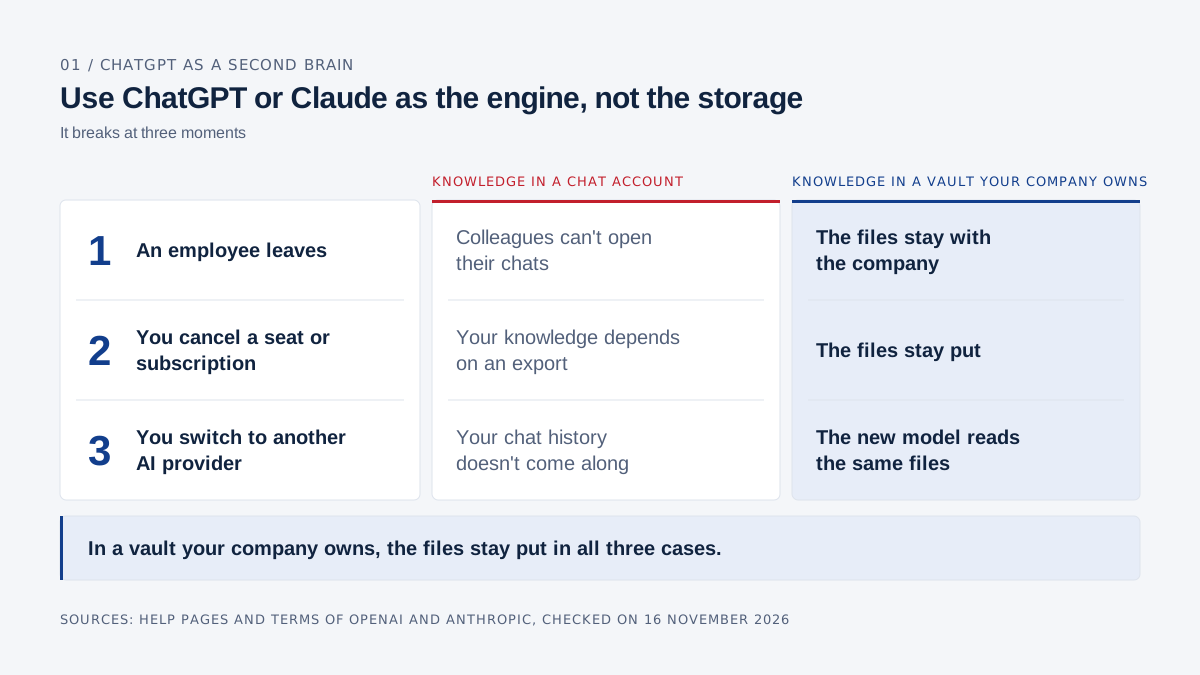
No: use ChatGPT or Claude as the engine and keep your company knowledge in files your company owns and another model can read too. Knowledge in a chat account belongs to an account on a platform. When an employee leaves, colleagues can't open their chats. When you cancel a seat or subscription, your knowledge depends on an export. When you switch to another AI provider, your chat history doesn't come along. In a vault your company owns, the files stay put in all three cases.
More and more working knowledge ends up in the chats, projects and memory of ChatGPT and Claude. The four steps of a full handover are in Knowledge transfer when an employee leaves.
AI Board itself runs on Claude, or on a local model in the local edition. Every claim about ChatGPT and Claude below links to their own help pages and terms, checked on 16 November 2026.
Can you use ChatGPT as a second brain?
Yes, for your own work ChatGPT makes a good second brain: Memory picks up preferences and details from your chats, and Projects keeps chats, files and instructions together around one topic. OpenAI says that with Memory, ChatGPT can remember "relevant preferences and details from your chats", drawing on sources such as past chats, saved memories and custom instructions (OpenAI, Memory). A useful answer, such as a decision note, can be saved as a project source (OpenAI, Projects).
Claude works the same way: it remembers context from your chats, and every project has its own memory (Claude Help Center).
After a few months, ChatGPT knows your clients, your writing style and the questions you keep asking, so I understand why people do it. For what a second brain means in the wider sense, read the executive second brain.
What goes wrong when company knowledge lives in ChatGPT or Claude?
Knowledge in ChatGPT or Claude belongs to an account on a platform, and so not to your company. As long as the same person keeps the same subscription and the same model, you won't notice. It breaks at three moments:
| Moment | Knowledge in a chat account | Knowledge in a vault your company owns |
|---|---|---|
| An employee leaves | Colleagues can't open their chats | The files stay with the company |
| You cancel a seat or subscription | Your knowledge depends on an export | The files stay put |
| You switch to another AI provider | Your chat history doesn't come along | The new model reads the same files |
What happens to ChatGPT conversations when an employee leaves?
Remove someone from ChatGPT Business (called ChatGPT Team until 29 August 2025) and they lose access at once, their chats are kept, and colleagues can't see them. According to OpenAI:
- Their access is "revoked immediately".
- In Business, chats and files are kept indefinitely and come back if you re-add the person. In Enterprise, the retention period you configure applies, for example 90 or 180 days.
- Projects and GPTs are reassigned to a workspace owner. The removed member's conversations and files "are not transferred, and are not visible to the workspace owner".
- Business members can't export their own workspace data. The owner can pick Export data for a member from the Members page, "if available" (OpenAI). OpenAI doesn't describe that export for someone who has already been removed, so export before you remove anyone.
Enterprise also has the Compliance Platform, which feeds logs, including conversations, to eDiscovery, DLP and SIEM tools; the platform itself keeps them for 30 days (OpenAI). That's a compliance tool. A successor who wants to know why a client has a special price won't find the answer there.
What if it's in a personal account?
Then OpenAI describes no route for your company to reach it. An export can only be downloaded "while you are signed in to the same account that requested it" (OpenAI). OpenAI itself advises companies to have employees keep a separate personal account with an email address they own, and in Business an admin can't force someone to bring their personal workspace in: "admins cannot require a merge or deletion" (OpenAI). Fair enough for the employee, but whatever is in there walks out the door with them. More on personal accounts in Is ChatGPT safe for business?
What happens to Claude chats when someone leaves your organization?
Remove someone from Claude Team or Enterprise and they lose access at once and colleagues can no longer open their chats, but Anthropic doesn't delete their account or data (Claude Help Center):
- Remaining members "will no longer be able to access their chats", including chats that were shared with the organization.
- A private project becomes inaccessible; a project shared with the whole organization stays.
- The Primary Owner's export still includes removed users' data. Members can only export their own data if an owner turns that on (Claude Help Center).
- Owners can't view or edit a member's individual memories, although memory is included in standard exports (Claude Help Center).
- Re-add the person with the same email address and their chats, projects and skills are restored.
Anthropic and OpenAI both handle this cleanly, but what you're left with is an export, a project if it was shared, and an account that returns if the same person returns. That still leaves a successor without a knowledge base.
Who owns ChatGPT conversations at work?
Legally, the output of a business account belongs to your company; in practice, you can only reach it while the account exists and someone has access.
OpenAI's business terms say the customer "retains all ownership rights in Input" and "owns all Output" (Services Agreement, section 4.1). Anthropic says the same: the customer "owns its Outputs" (Commercial Terms, section B). On a business account, the customer is your company. On a personal account, it's the employee: the consumer terms are an agreement with the individual user (OpenAI, Anthropic). Whether their work still belongs to you is a matter for the employment contract, and I'm not a lawyer.
Ownership also depends on the agreement staying in place. If it ends with OpenAI, OpenAI "will delete all Customer Content from its systems within thirty days" (section 11.3). With Anthropic, after termination "Customer may no longer access the Services" (section I.4).
ChatGPT, Claude or a vault your company owns: the comparison
The difference is who holds the account and what's left when something changes:
| Knowledge in ChatGPT (Memory, Projects, chats) | Knowledge in Claude (memory, projects, chats) | Knowledge in a vault your company owns (AI Board) | |
|---|---|---|---|
| Who owns the account | Business or Enterprise: the workspace is your company's. Personal: the employee | Team or Enterprise: the organization is your company's. Pro or Max: the employee | No chat account: a folder of files on a company laptop |
| When someone leaves | Access gone at once. Chats kept (Business indefinitely, Enterprise per your retention setting); projects and GPTs go to an owner, the conversations don't | Access gone at once. Colleagues can't open their chats; private projects become inaccessible | The files stay with the company |
| Export | Personal: a ZIP with conversations in JSON. Business: only the owner, per member | Personal: via Settings, Privacy. Team and Enterprise: the Primary Owner, or members if an owner allows it | Not needed: they're already files |
| Moving to another AI provider | OpenAI describes no transfer; chats and memories don't move even to another ChatGPT account | Memory import exists, experimental; conversation history can't be imported | The new model reads the same files |
| Can the successor query it | Not in the leaver's chats; only in an export uploaded as a file to a new chat | Not in their chats; only in shared projects and the Primary Owner's export | Yes, with the source file next to every answer |
Sources, checked on 16 November 2026. ChatGPT: removal, member export, personal export, another account. Claude: removal, export, memory import, conversation history. AI Board: security.
What does model-independent mean?
Model-independent means your knowledge sits in plain files another model can read too, so you can change models without moving your knowledge.
In AI Board that's the vault: a folder of plain markdown files on your own drive, in Obsidian. It holds the board, the numbers, the client files, the meetings, the decisions with the reasons behind them, and the skills: your saved prompts and ways of working.
Today that's Claude; tomorrow it might be a local model, because AI Board has a Claude edition and a local edition. With the Claude edition, the files stay on your laptop but a question is processed via Anthropic. With the local edition, that stays on your machine too. On Claude Team or Enterprise, Anthropic doesn't train on your data by default; on Pro or Max, you choose that in your settings (security).
Which model to pick is covered in ChatGPT, Claude or local. With your knowledge in files, you can make that choice again later without losing anything. Aimed at everything the company knows, the same idea is a company brain.
Can you export ChatGPT memory to Claude?
Partly: Claude has a memory import for other AI services, but you can't import your conversation history.
You paste a prompt from Anthropic into ChatGPT, which lists everything it remembers about you in one block. You paste that block into Claude under Settings, Your Claude, Start import, and click Add to memory (Claude Help Center). Anthropic calls the import "experimental", and Claude focuses its memory on work, so personal details may not stick. Importing conversation history from another provider isn't possible "at this time" (Claude Help Center).
Anthropic adds good advice itself: if your old service can create files, ask it for your memory as a Markdown file "so you can save a copy for your records". That file is yours.
How do you get your knowledge out of ChatGPT or Claude?
Export your chats, write your memory out to a file, and turn your best prompts into written ways of working:
- Export your ChatGPT conversations via Settings, Data controls, Export. Within 7 days you get a ZIP with a viewer and your conversations in JSON; the link works for 24 hours. In Business or Enterprise, ask the workspace owner (OpenAI).
- Export your Claude chats via Settings, Privacy, Export data. Your original uploads aren't included. In Team or Enterprise, an owner has to turn this on first (Claude Help Center).
- Write your memory out. Ask Claude to write out its memories of you verbatim and save them to a local file. In ChatGPT, Settings, Personalization, Memory shows a summary of what it remembers, which OpenAI says doesn't include every detail (OpenAI). Put it in a note, not in a new chat.
- Turn your best prompts into skills: a file with a name, when to use it and the steps. How that works is in capturing tacit knowledge.
- Put decisions and client knowledge in notes, with the reasons. If someone is leaving soon, use a handover document as the frame.
Steps 3 to 5 matter most, because that's where you write the knowledge down again in files that stay.
Who is this not for?
If you only use ChatGPT or Claude for one-off questions, an email or a first draft, there's no company knowledge in there. If your company already has a well-kept place for knowledge that everyone uses, the storage is sorted and you use AI as the engine.
A vault doesn't fill itself either, and garbage in is garbage out. Summaries a model writes can be wrong, so keep the originals. AI Board is personal, one per manager. The handover only works if the vault, or the part that belongs to the company, stays with the company when someone leaves. Agree on that when someone starts, not when they hand in their notice.
Frequently asked questions
Can you use ChatGPT as a second brain?
Yes, for your own work: Memory remembers preferences and details from your chats, and Projects keeps chats, files and instructions together. For company knowledge I'd advise against it, because that knowledge belongs to an account on a platform. Use ChatGPT as the engine and keep the knowledge in files your company owns.
What happens to my ChatGPT chats when I leave my job?
In ChatGPT Business you lose access at once. Your chats are kept and come back if you're re-added. You can't export them yourself; the workspace owner can, per member, when the option is available. If they're in a personal account, OpenAI describes no route for your employer to reach them.
Can I move my ChatGPT memory to Claude?
Yes, with Claude's memory import: ChatGPT writes out what it remembers using a prompt from Anthropic, and you paste that into Claude. Anthropic calls it experimental. Your conversation history doesn't come along.
Who owns the chats in a business ChatGPT or Claude account?
Under the business terms of OpenAI and Anthropic, the output belongs to the customer, and on a business account that's your company. In practice you reach it through the workspace owner, with an export, while the agreement runs.
How do I export my ChatGPT or Claude conversations?
In ChatGPT via Settings, Data controls, Export: a ZIP with your conversations in JSON, within 7 days. In Claude via Settings, Privacy, Export data. In ChatGPT Business, ask the owner; in Claude Team, an owner has to turn it on first.
Can my company access knowledge in an employee's personal account?
OpenAI and Anthropic describe no route for that: the employee requests the export of a personal account, and in ChatGPT it can only be downloaded while signed in to that account. If you want working knowledge to stay, put it in files the company owns from day one.
AI Board is your personal AI assistant that makes you AI-native: it runs on your own laptop, grounded in your company's data, and gets sharper as your knowledge grows. Private by design, reasoning at CEO, CFO and CTO level, so you ride the AI wave instead of swimming behind it.